
At a glance
| App | Best for | Trade-off |
|---|---|---|
| Journey Tracker | Anything you photograph, lined up with an outline or ghost | iPhone only, and needs an account |
| Body trackers | Weight and measurements next to your photos | Built for bodies |
| Camera-only apps | Photos that never leave your phone | No cloud copy |
| Photo diaries | A daily selfie or clip played as a movie | Plays days in a row, not two side by side |
| Workout apps | Logging workouts | Photos are a side feature |
Our pick: Journey Tracker
Built for the whole job, from lining up the shot to showing the change:
- Anything you photograph: a body, skin, hair, a beard, a plant, a room, each in its own journey.
- An outline of your subject from an earlier photo over the camera, or a faint ghost of it, and Auto-align, which lines each photo up with your first.
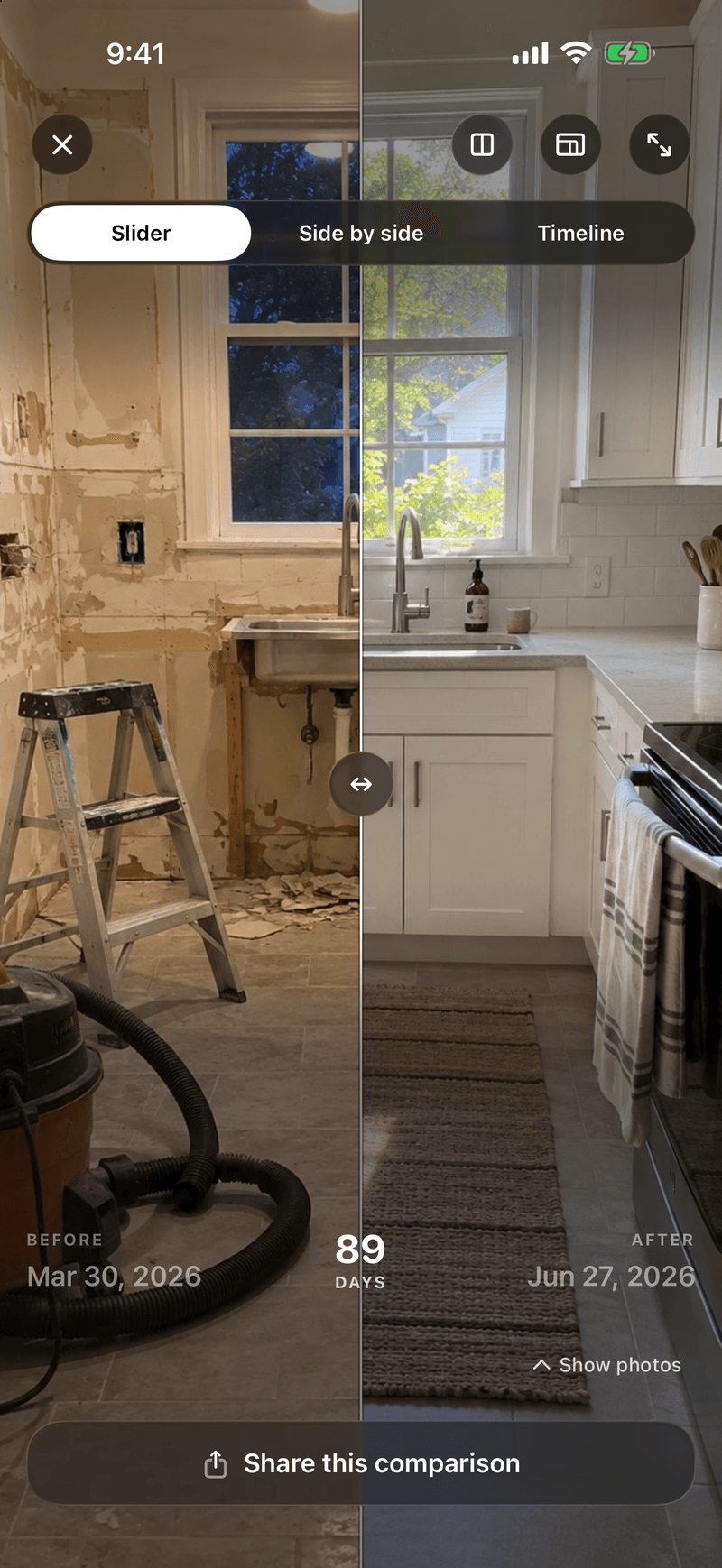
- Any two photos under a slider or side by side, and the whole journey as a timeline you can export to video.
- Share cards, reminders for each journey, and photos kept in your account, so a new phone has them all.
- A clean, simple app that's easy to find your way around, with no ads and no feed. From the home screen, the camera is two taps away (the journey, then the add button), and so is a comparison.
- Free for good with one journey, the slider and the Classic share card. It's iPhone only.
What to look for
Four questions sort out most of the choice:
- Does it help you line up the next photo? Without an overlay, distance and angle drift, and the comparison shows that instead of the change.
- Can you compare any two photos, not only the first and the latest?
- What happens to your photos if you lose your phone?
- What's free? Check before you import a year of photos: some apps charge to compare them, or to keep more than a few.
Body trackers
These are built around weight, measurements and body fat, with photos alongside. Some line up your photos and some only store them, so check before you choose. They're built for bodies: to track skin, hair, a plant or a room as well, you'd need another app.
Camera-only apps
A before-and-after camera with an overlay and not much else. Some have no account and no cloud uploads, so your photos live only on your phone: lose it without a backup and they go with it.
Photo diaries
These turn a daily selfie or a second of video into a movie, and they're built to play every day in a row. Journey Tracker does that with its timeline, and also lets you put any two photos side by side.
Workout apps with photos
Some workout logs keep progress photos next to your training. If you already use one, that's convenient, but the photos are a side feature, not a camera built for lining them up.
When something else fits better
If you want weight and measurements logged next to your photos, a body tracker will suit you better. If you want photos that never leave your phone, use a camera-only app.